
Last updated - June 9, 2026
Setup and Requirements
The scoring system tracks phishing simulation reporting via the Secure Schools Phishing reporting button. If you haven't installed our report phishing button yet, you can find the setup guides here:
Access and Resets
You can find your leaderboard in the top-left menu.
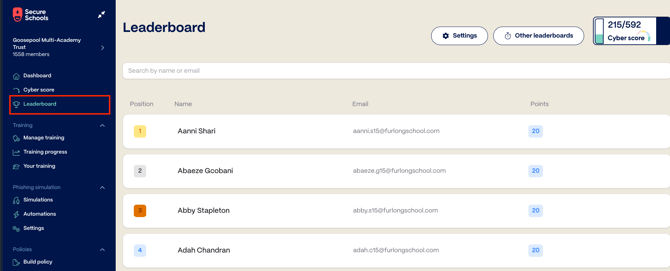
Once there, you can configure them to either run forever or to reset at a future date. By default, they will run indefinitely, but to change this, you:
1. Open the Leaderboard page, then click Settings at the top.
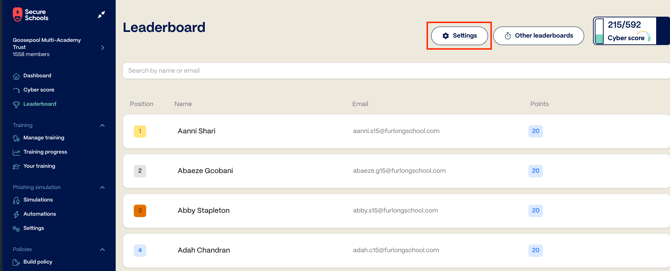
2. In the screen that opens, you'll see each of your Organisation's leaderboards listed, along with their creation and scheduled reset dates if configured.
3. Select the overflow menu (⋮) to open the additional menu, then select Change reset schedule.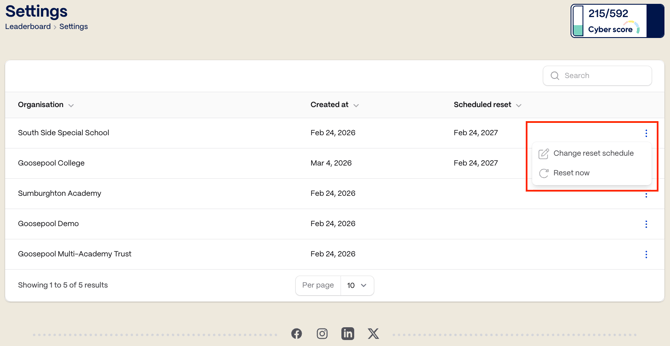
4. Enter the desired date for the leaderboard to reset, and click on Confirm change.
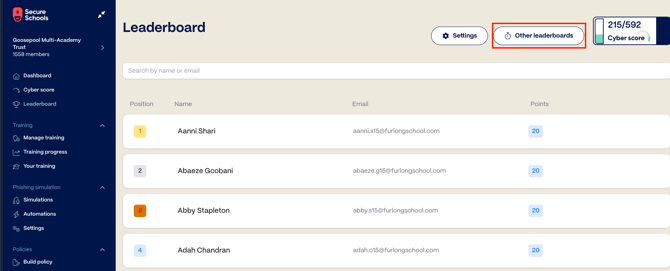
Other Leaderboards
Under Other leaderboards, you can view:
- Leaderboards from previous periods.
- Leaderboards from other organisations in your group.
Scoring system
As mentioned above, the scoring system rewards the reporting of phishing simulations using the appropriate Secure Schools Report Phishing Button. Once these are installed and configured, the scores are calculated based on the user's actions:
|
Action |
Points |
| Open the email and click on the link | 0 |
| Open the email, click on the link, and enter credentials | 0 |
| Ignore (don't open) the phishing simulation emails | +10 |
| Open the email with no interaction |
+20 |
| Open the email, click on link, enter credentials, report phish | +20 |
| Open the email, click on the link, report phish | +20 |
| Open the email and report phishing simulation | +40 |
In addition, users will receive multipliers on top of these scores based on the performance from previous phishing simulations:
-
1.5x if the previous simulation was reported.
-
2x if the previous 2 simulations are reported.
Streaks and bonuses are lost if the user fails to report a phishing simulation they receive.